
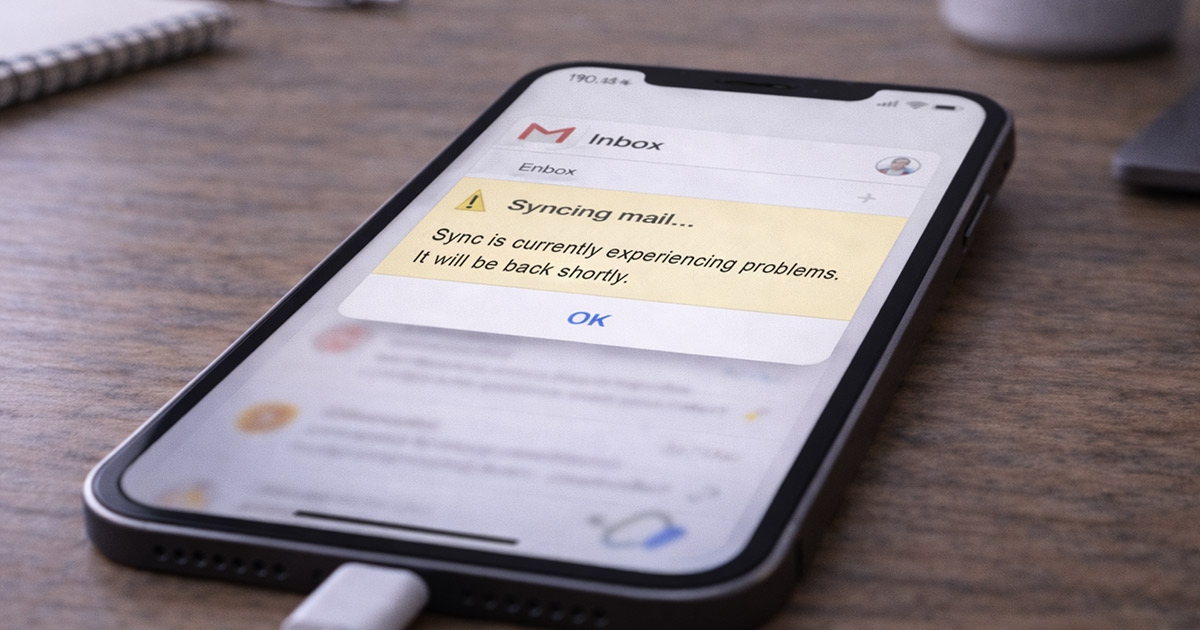
You open Gmail.
You pull down to refresh.
Nothing new shows up.
Then you check on your computer… and there are six unread emails just sitting there.
That’s not a delay.
That’s a sync failure.
Gmail doesn’t just “decide” to stop syncing. When mail doesn’t show up on your phone, something in the connection chain broke.
And yes — there’s always a reason.
Let’s break it down properly.
What’s Actually Happening When Gmail Syncs
When Gmail syncs on your phone, this is what has to happen:
- Your phone connects to the internet
- Gmail connects to Google’s servers
- Your account authentication is verified
- Background sync is allowed
- Battery restrictions allow it to run
- New messages are pushed or fetched
If any one of those steps fails, email stops updating.
That’s the gap.
Now let’s walk through the real causes — in order of how often they actually happen.
1. Sync Is Turned Off (Yes, Really)
This is the most common cause.
Either system-wide sync is disabled, or Gmail sync specifically is off.
It happens after updates. It happens after battery-saving tweaks. It happens quietly.
On Android:
Go to Settings
Tap Passwords & Accounts (or Accounts)
Tap Google
Make sure Sync Gmail is turned on
Then:
Open Gmail
Tap the three lines
Scroll to Settings
Tap your account
Make sure Sync Gmail is checked
If that box isn’t checked, Gmail won’t sync. Period.
There’s your gremlin.
2. Background Data Is Restricted
Phones try to “help” by limiting background activity.
Gmail needs background access to sync automatically.
If your phone is in data saver mode, low power mode, or background restriction mode, Gmail may be blocked.
Fix on Android:
Go to Settings
Tap Apps
Select Gmail
Tap Battery
Set to Unrestricted
Then go to:
Settings → Network & Internet → Data Saver
Turn it off temporarily and test.
Fix on iPhone:
Go to Settings
Tap General
Tap Background App Refresh
Make sure Gmail is allowed
Also check:
Settings → Battery
Turn off Low Power Mode temporarily.
If Gmail sync starts working after this, that was the choke point.
3. Poor or Unstable Internet Connection
You can have Wi-Fi connected and still have a broken connection.
If Gmail shows “Syncing…” forever, the connection handshake may be failing.
Test this:
- Switch from Wi-Fi to mobile data
- Or switch from mobile data to Wi-Fi
- Turn Airplane Mode on and off
If it syncs on one network but not the other, the problem isn’t Gmail.
It’s the network.
VPNs can also interfere here. Disable it temporarily and test again.
4. Your Storage Is Nearly Full
This one surprises people.
If your phone is almost out of storage, background syncing can fail.
Gmail needs temporary working space to cache new messages.
If you’re under 1–2GB free, that can cause silent sync issues.
Check storage:
Settings → Storage
If you’re nearly full:
Delete unused apps
Remove old videos
Clear downloads
Free up a couple gigabytes and try syncing again.
It fixes more than you’d think.
5. Gmail App Cache Is Corrupted (Android)
Over time, app cache can break — especially after updates.
If Gmail tries to read corrupted data during sync, it stalls.
Fix:
Go to Settings
Tap Apps
Select Gmail
Tap Storage
Tap Clear Cache
Don’t hit Clear Data unless necessary — that resets the app completely.
After clearing cache, reopen Gmail and pull to refresh.
6. Account Authentication Expired
Sometimes Google quietly disconnects the authentication token.
When that happens, Gmail looks connected — but it won’t sync.
You may see subtle errors like:
“Sync error”
“Authentication required”
Fix it this way:
Go to Settings
Tap Accounts
Remove your Google account
Restart your phone
Add the Google account back
That forces a fresh authentication handshake.
Clean slate.
7. Gmail Fetch Settings on iPhone
If you’re using the built-in Mail app instead of the Gmail app, sync depends on fetch settings.
Go to:
Settings → Mail → Accounts → Fetch New Data
Make sure:
- Push is enabled
- Fetch is set to Automatically
- Gmail account is set correctly
If Fetch is set to “Manual,” email won’t arrive until you open the app.
That’s not a bug. That’s configuration.
8. Google Server Issues
Sometimes it’s not you.
If Gmail suddenly stops syncing for large numbers of users, Google’s servers may be experiencing delays.
Check:
- Google Workspace Status Dashboard
- Social media reports
- Down detector sites
If others are reporting it, wait it out.
There’s nothing to fix locally in that case.
Fastest Way to Fix It (Quick Checklist)
If you don’t want to analyze everything, do this in order:
- Restart your phone
- Turn off Low Power Mode
- Make sure Gmail sync is enabled
- Switch networks (Wi-Fi ↔ mobile data)
- Disable VPN
- Clear Gmail cache (Android)
- Remove and re-add your Google account
Most sync issues are resolved by step four.
When Gmail Syncs on Computer But Not Phone
That tells you something important.
The account itself is fine.
The issue is local to your device.
That narrows it down to:
Sync settings
Battery restrictions
App cache
Authentication
Not guessing. Narrowing.
Final Thoughts
Gmail not syncing feels like something big broke.
It didn’t.
It’s almost always:
Sync disabled
Battery restriction
Network interference
Cache corruption
Expired login
Email is just data moving between two systems.
If it’s not moving, something blocked the path.
Clear the path.
There it is.