
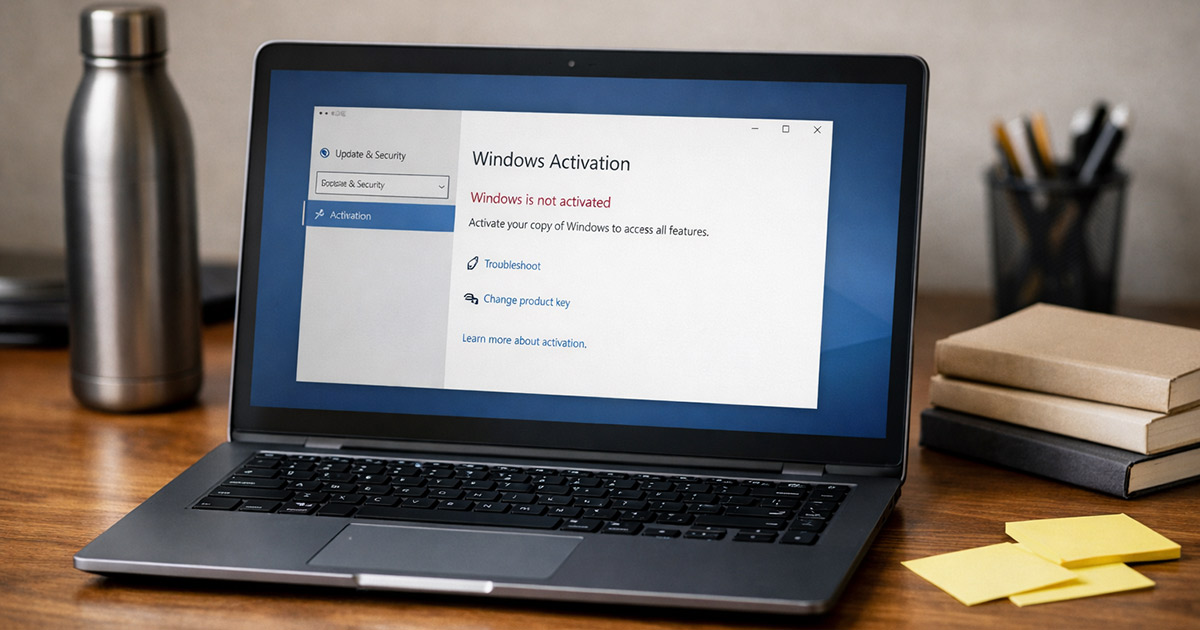
You boot the PC.
Bottom-right corner says Windows isn’t activated.
Settings throws an error code like it’s a ransom note.
Nothing else is “broken,” but Windows is now in a mood.
And yes, it’ll keep reminding you.
This is fixable.
We troubleshoot in order: WHY it’s happening first, then HOW to fix it. One change at a time.
Why This Is Happening
Windows activation isn’t magic. It’s a license check tied to either a product key, a digital license, or a work/school activation server. When any part of that chain doesn’t line up, you get an activation error.
1) Your edition and your license don’t match
A key for Windows Home won’t activate Windows Pro, and vice versa. Same for Enterprise/Education.
Clues:
- You upgraded/downgraded editions recently
- You installed from a random ISO and didn’t notice it picked Pro
- Error codes like 0xC004F050 (key invalid for this edition) often show up here
Quick test: Check your edition in Settings → System → About (or “Activation” page).
Fix: Install/activate the correct edition, or use a key/digital license that matches the edition you’re running.
2) You changed hardware and the digital license didn’t follow
Digital licenses are often tied to a hardware hash. Change the motherboard (sometimes even enough components at once) and Windows treats it like a new PC.
Clues:
- You replaced a motherboard
- You moved a drive to a different PC
- You did a major upgrade and activation broke afterward
- Error like 0x803F7001 (“can’t find a valid license”)
Quick test: Is this the same machine, or is it basically a new one?
Fix: Use the Activation Troubleshooter and sign into the Microsoft account that previously held the digital license.
3) Your product key is blocked, overused, or just not legit
Keys get typed wrong, sold sketchily, or used too many times. Windows can also block keys that were abused.
Clues:
- Error 0xC004C003 (key blocked)
- You bought a cheap key from a marketplace and it worked… briefly
- Activation worked before a reinstall, then stopped
Quick test: If the key came from “$7 lifetime Pro key,” assume it’s the problem until proven otherwise.
Fix: Use a valid key from a proper source, or rely on a digital license if you already had one legitimately.
4) You’re on a KMS/organization activation path you don’t actually have
Work/school PCs often activate through KMS (Key Management Service) or other volume licensing. If your PC is trying to phone an organization server that doesn’t exist (or you’re not on that network), activation fails.
Clues:
- Error 0xC004F074 (can’t contact KMS)
- The PC used to be owned by a company/school
- You installed Enterprise and now nothing makes sense
Quick test: If you’re not part of an organization with an IT department, you should not be on KMS/Enterprise.
Fix: Remove KMS settings and use a retail/OEM key or a digital license.
5) Date/time/network issues are breaking the validation
Activation relies on secure connections and time-based checks. If your clock is wrong or the network is restricted, activation calls can fail.
Clues:
- You can browse the web, but Microsoft services act weird
- You’re behind strict firewall/proxy/VPN
- Time is off by hours or the wrong year (yes, it happens)
- Errors can vary because the failure is “upstream”
Quick test: Fix time and try again on a normal network.
Fix: Correct time zone/time sync and temporarily remove VPN/proxy for the activation attempt.
6) Windows licensing services/tokens are corrupted
Sometimes the license store gets banged up after failed upgrades, aggressive “debloat” scripts, registry cleaners, or imaging tools.
Clues:
- Activation page errors instantly, even with a valid key
- Multiple weird activation codes after updates
- You’ve run scripts that disable services “for performance”
Quick test: If core Windows services are disabled, activation will be unstable.
Fix: Ensure licensing services run, then repair the system files and (if needed) rebuild licensing data.
7) Microsoft’s activation servers are having a moment
It’s rare, but it happens. Especially right after big releases or regional outages.
Clues:
- Everything is correct, and it suddenly fails across multiple attempts
- It was activated yesterday
- A friend is seeing similar issues
Quick test: Try again later or from a different network.
Fix: Not much besides waiting and retrying, but you can still do the local checks so you’re not guessing.
How to Fix It
Work top to bottom. Don’t do five things at once and then wonder which one actually fixed it.
1) Confirm the Windows edition first
This prevents the classic “I’m trying to activate Pro with a Home license” loop.
Go to Settings → System → About and note the edition.
If you want the edition via command line:
winver
Test: The edition you see matches the license you believe you own (Home vs Pro vs Enterprise).
2) Fix time/date and try activation again
This is boring. It also works more often than it should.
Make sure:
- Correct time zone
- “Set time automatically” enabled
- Time sync is working
Force a time resync:
w32tm /resync
Test: Settings → System → Activation → Activate (or “Troubleshoot”) works without a connectivity/time error.
3) Run the built-in Activation Troubleshooter (digital license fixes)
If you had a digital license before (especially on Windows 10/11 upgrades), this is the cleanest path.
- Settings → System → Activation
- Click Troubleshoot
- If prompted, sign in with the Microsoft account that used to own the license
- Choose “I changed hardware on this device recently” if that’s true
Test: Activation page shows “Windows is activated” and the watermark disappears.
4) Check what channel you’re actually licensed with (Retail/OEM/KMS)
This tells you whether you’re dealing with a key problem, a digital license problem, or an organization/KMS problem.
Run:
slmgr /dli
If you want the more detailed view:
slmgr /dlv
Look for wording like:
- Retail
- OEM
- Volume: KMS / Volume: MAK
Test: If it says Volume/KMS and you’re not in a company environment, you’ve found the mismatch.
5) If you’re stuck on KMS, clear it and stop calling the wrong server
This is for PCs incorrectly configured for KMS activation (common with used hardware, bad images, or “creative” installs).
Clear any configured KMS server:
slmgr /ckms
Then try activation again (after you install a proper key or use a digital license).
Test: The activation error changes away from “can’t contact KMS,” or activation succeeds with a real retail/OEM key.
6) Re-enter the correct product key (and make sure it matches the edition)
If you have a legitimate key, use the proper path instead of typing it into random popups.
Open the “change product key” dialog:
slui 3
Enter the key that matches your edition.
If you need to attempt activation after entering it:
slmgr /ato
Test: Activation status updates to activated, or you get a new error code that’s more specific than before.
7) If you have an embedded OEM key, pull it from BIOS/UEFI
Many OEM machines store the key in firmware. If you reinstalled and skipped key entry, Windows sometimes picks the right one automatically… and sometimes doesn’t.
Check for an embedded key:
(Get-CimInstance -ClassName SoftwareLicensingService).OA3xOriginalProductKey
If it returns a key, use it through the normal activation UI (or slui 3).
Test: The key matches the edition you’re running, and activation succeeds.
8) Repair system files if activation tools crash or behave inconsistently
If the activation page errors instantly, services won’t start, or things feel corrupted, fix the foundation first.
Run System File Checker:
sfc /scannow
Then repair the component store (Windows Update source):
DISM /Online /Cleanup-Image /RestoreHealth
Reboot after both.
Test: Activation and troubleshooting screens load normally and respond without weird instant failures.
9) Reset the licensing state (only if you’re looping with no progress)
This is the “licensing store is confused” move. It’s not the first thing you do. It’s what you do after you’ve confirmed edition/key/channel and it still won’t behave.
Reset licensing files:
slmgr /rilc
Reboot.
Then attempt activation again:
slmgr /ato
Test: Activation completes or produces a consistent, meaningful error (not random garbage each time). There it is.
10) Use phone activation if online activation refuses to cooperate
Sometimes online activation fails for reasons that never get properly explained. Phone activation can bypass some of that.
Launch phone activation:
slui 4
Follow the prompts, pick your region, and use the automated system.
Test: You receive a confirmation ID and activation status flips to activated.
11) If the key is blocked or invalid, stop fighting the symptoms
If you’re seeing 0xC004C003 (blocked) or repeated “key invalid” errors and you’re confident the edition matches, the key itself is the problem.
Realistic outcomes:
- Replace the key with a legitimate one
- If you previously had a digital license, use the Microsoft account troubleshooting path
- If you bought a sketchy key, expect it to stop working again even if you temporarily succeed
Test: A legitimate key activates cleanly and stays activated after reboot.
12) If you’re on Enterprise and you shouldn’t be, switch back to Pro/Home
Enterprise is not for personal licenses. It’s for volume licensing. If you installed it because it was “available,” Windows is going to keep demanding an organization-grade activation method.
Fix: Install the correct edition, then activate with the proper key/digital license. (This is usually a reinstall, because edition switching away from Enterprise is not always clean.)
Test: You’re on Home/Pro and activation uses Retail/OEM/digital license instead of KMS.
Final Thoughts
Windows activation errors feel personal because they interrupt the basic “this computer is mine” vibe. But it’s almost always one of a few boring mismatches: wrong edition, wrong license type, hardware change, or a KMS setup that doesn’t belong on your machine.
Do the checks in order:
- Confirm edition
- Confirm license channel (Retail/OEM/KMS)
- Use the troubleshooter for digital licenses
- Only then start resetting licensing components
Activation isn’t random. It just looks random when Windows won’t explain itself in plain English.